 2 min
2 minMatching: confirm or rule out a candidate
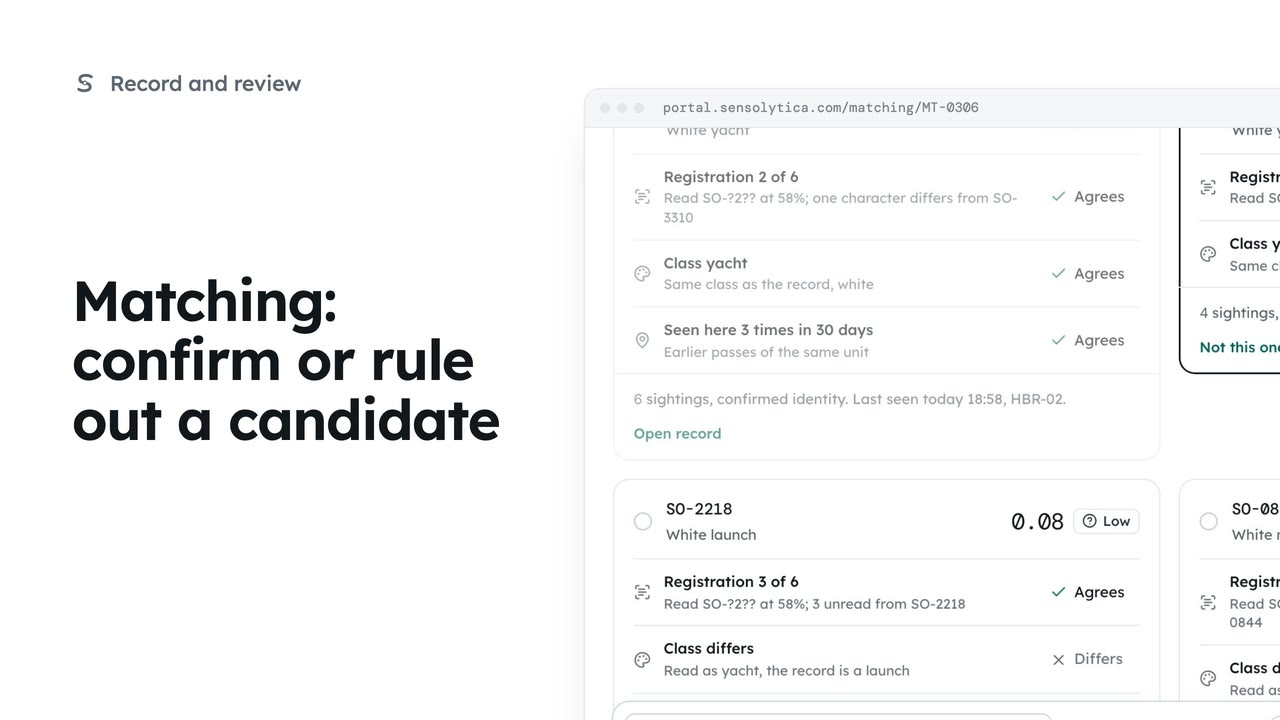
Join an uncertain reading to the right vessel, ruling out the candidates that do not fit.
2 min5 stepsOperator, Admin
Take a reading back off the record you just joined it to, and put it back in the Matching queue.
Confirm SO-4471
MT-0334: a launch read as SO-4471 at 0.93. Confirm joins it to Aurora's record.
Undo, then Reopen
The reading leaves the record and goes back in the queue.
From the record's history
After you move on, undo it from the record's merge and split history.
In Matching, open MT-0334: a launch read as SO-4471 with a confidence of 0.93. Choose Confirm SO-4471 and confirm. The reading joins Aurora's record and the next item opens.
Joined the wrong one? The next item says MT-0334 decided, with Undo beside it. Choose Undo, then Reopen. The reading leaves the record and goes back in the queue. The undo is in the audit trail.
Once you have moved on, open the record and undo the change from its merge and split history instead.
Sign in with your work email. Your own organisation's records, nodes and units take the place of the Westmouth ones.
2 minJoin an uncertain reading to the right vessel, ruling out the candidates that do not fit.
2 min5 stepsOperator, Admin
 3 min
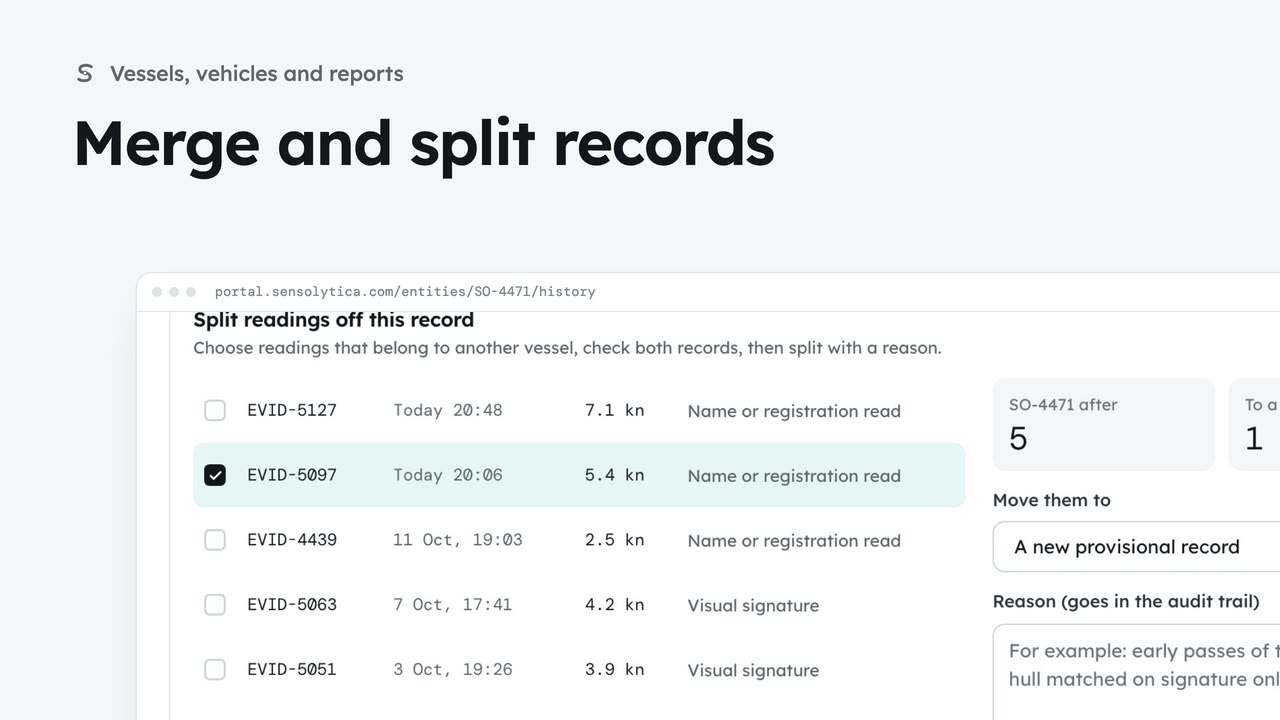
3 minJoin two records of the same vessel or vehicle, undo it if needed, and split off readings that belong to another.
3 min7 stepsAdmin, Operator
 2 min
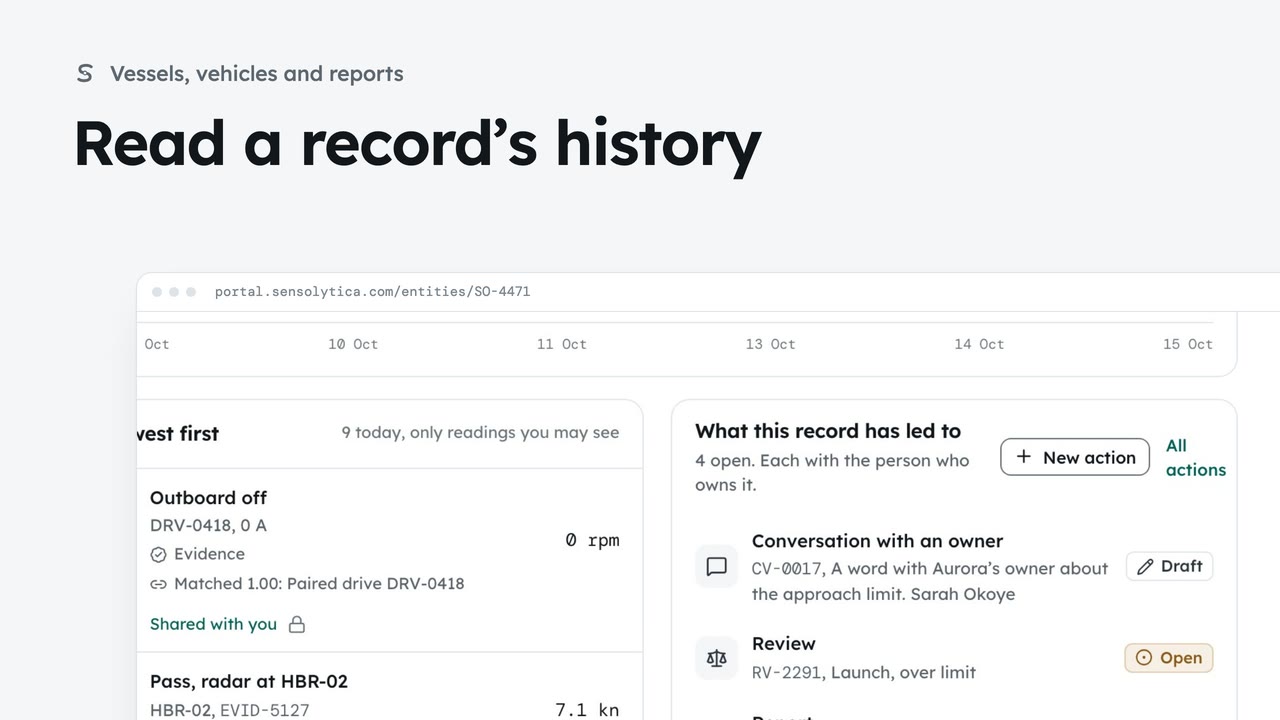
2 minFollow every reading on a vessel’s record and every change to which readings belong to it.
2 min5 stepsAdmin, Operator
Checked against the portal on 15 October 2026. Westmouth names, vessels, units and figures are illustrative. General guidance on using the portal, not legal, regulatory or financial advice.