 2 min
2 minVessel and vehicle records
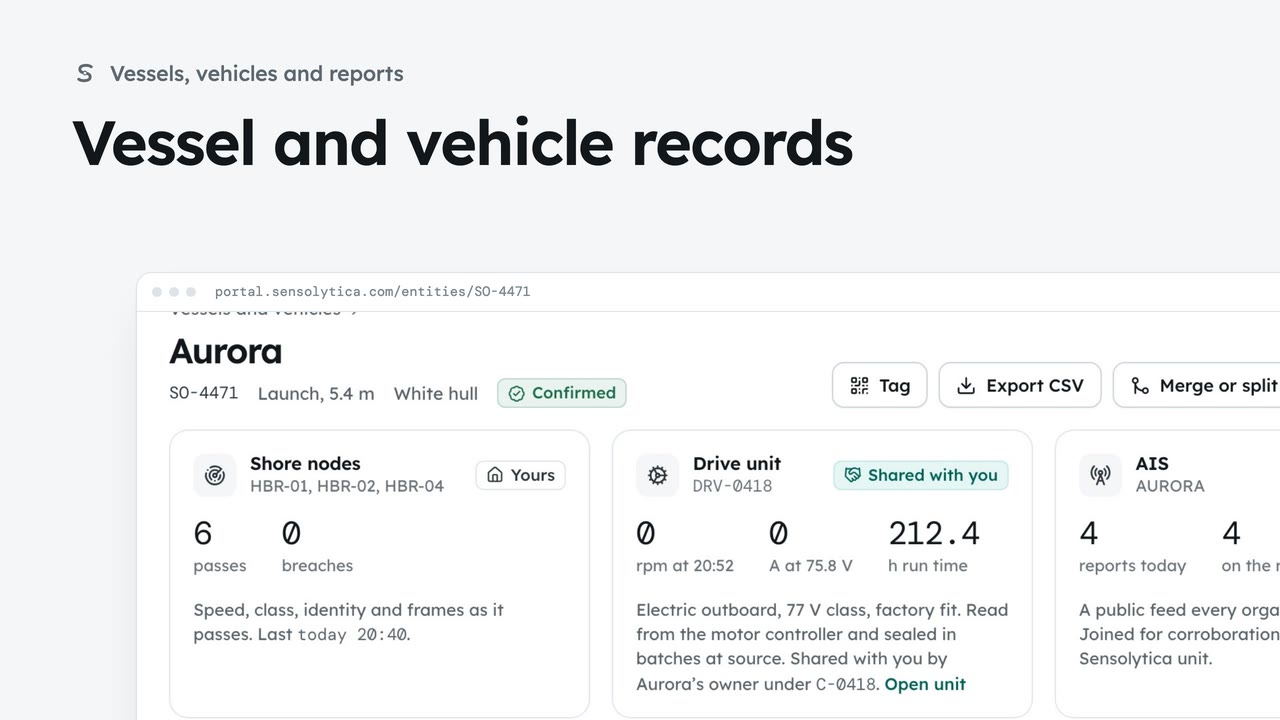
Find a vessel or vehicle and read its one record, joining every shore node pass, its drive unit and AIS.
2 min6 stepsAdmin, Operator
Follow every reading on a vessel’s record and every change to which readings belong to it.
Today on one line
Each mark is a reading. Window switches between Today, 7 days and 30 days.
Each reading, how it matched
Every reading lists its quality, how it was matched, where it came from and whether it is sealed.
Reviews, alerts, jobs
What this record has led to lists each action with its owner. New action adds one.
Merge and split history
Merge or split opens every change to which readings belong here.
Undoing a merge
The panel shows how many readings each record would hold after an undo.
Open Vessels and vehicles from the sidebar and choose Aurora. Every source sits on one line for today. Choose 7 days to see the week; choosing a mark opens that pass.
Scroll to Every reading, newest first. Each line gives the quality, how the reading was matched to this vessel, where it came from, and a lock when it is sealed. Choose an evidence number to open the capture.
Beside it, What this record has led to lists the reviews, alerts, jobs, reports and conversations about this vessel, each with the person who owns it. New action adds one from here.
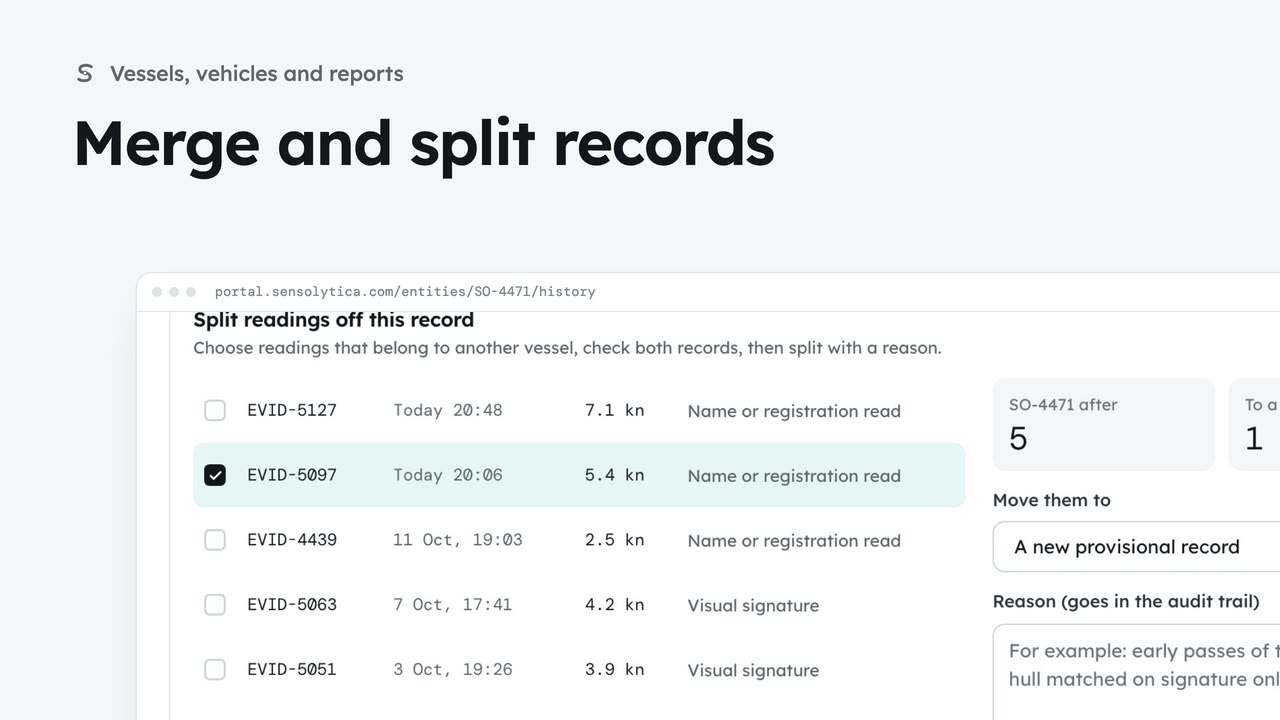
Scroll back up and choose Merge or split. The history lists every change to which readings belong to this record: who made it, when and why. Here, two readings were split off to a sister boat, and early sightings were merged in.
Undoing a merge shows what each record would hold if you undid it. Seals are never touched, because matching never changes a reading. In the activity log opens the same events in the organisation’s log.
Sign in with your work email. Your own organisation's records, nodes and units take the place of the Westmouth ones.
2 minFind a vessel or vehicle and read its one record, joining every shore node pass, its drive unit and AIS.
2 min6 stepsAdmin, Operator
 3 min
3 minJoin two records of the same vessel or vehicle, undo it if needed, and split off readings that belong to another.
3 min7 stepsAdmin, Operator
 2 min
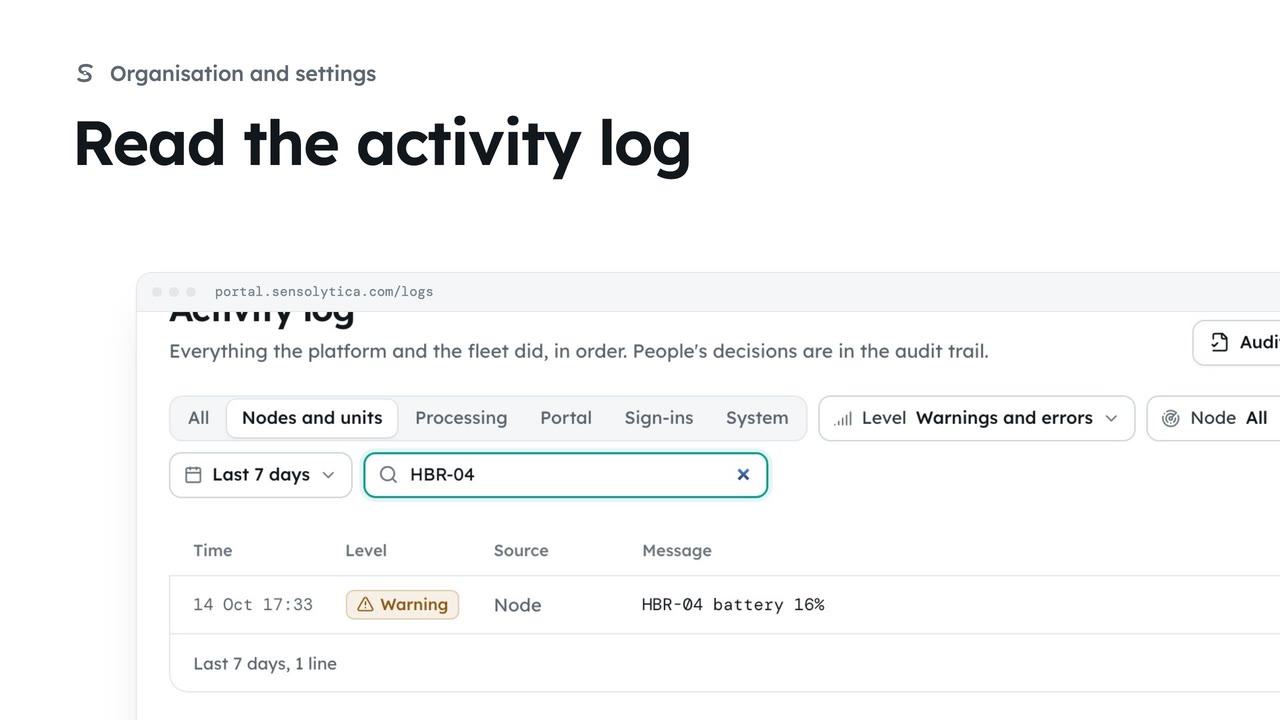
2 minFollow everything the platform and the fleet did, filter it to what matters and export it.
2 min4 stepsAdmin, Operator
Checked against the portal on 15 October 2026. Westmouth names, vessels, units and figures are illustrative. General guidance on using the portal, not legal, regulatory or financial advice.