 2 min
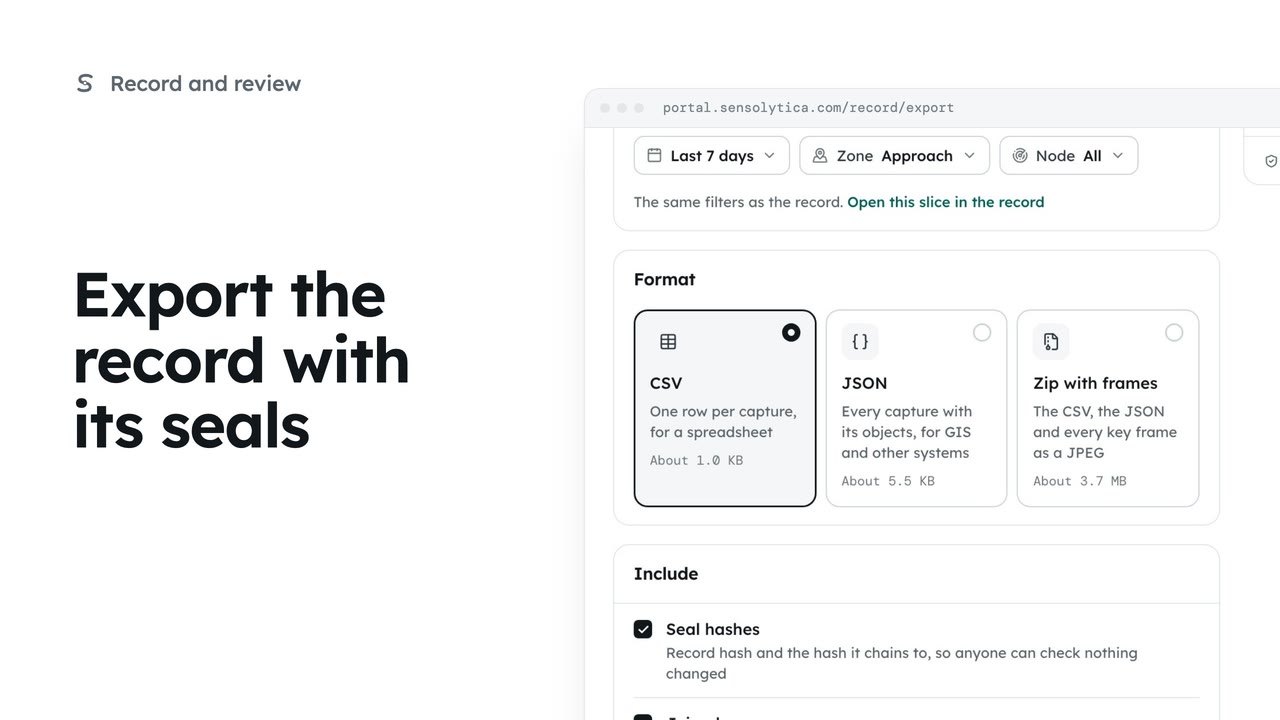
2 minExport the record with its seals
Take a defined slice of the record out as CSV, JSON or a zip with frames, with the seals so whoever receives it can check it.
2 min5 stepsAdmin
Choose how long sealed records are kept and when passes within the limit lose what identifies them.
How long evidence stays
Settings, Data and retention. The timeline shows full evidence, then anonymised passes, then deletion.
Days before anonymising
Change the number of days beside Anonymise passes within the limit after.
Keep sealed records for
Choose 6, 12, 24 or 36 months. Shortening it deletes older records at the next run.
Save and confirm
Choose Save retention, then Save retention in the confirm window.
Open Settings and choose Data and retention. The timeline shows each capture’s life: full evidence when it is captured, passes within the limit reduced to counts after a set number of days, and every record deleted at the end. Breaches keep everything until they are deleted.
Change the days before passes within the limit are anonymised. Plates and frames are dropped; the count stays for reports.
Keep sealed records for sets when records are deleted. Shortening it deletes older records at the next nightly run, and they cannot be recovered. Keep it in step with your data protection impact assessment.
Choose Save retention and confirm. The nightly retention run applies it.
Sign in with your work email. Your own organisation's records, nodes and units take the place of the Westmouth ones.
2 minTake a defined slice of the record out as CSV, JSON or a zip with frames, with the seals so whoever receives it can check it.
2 min5 stepsAdmin
 3 min
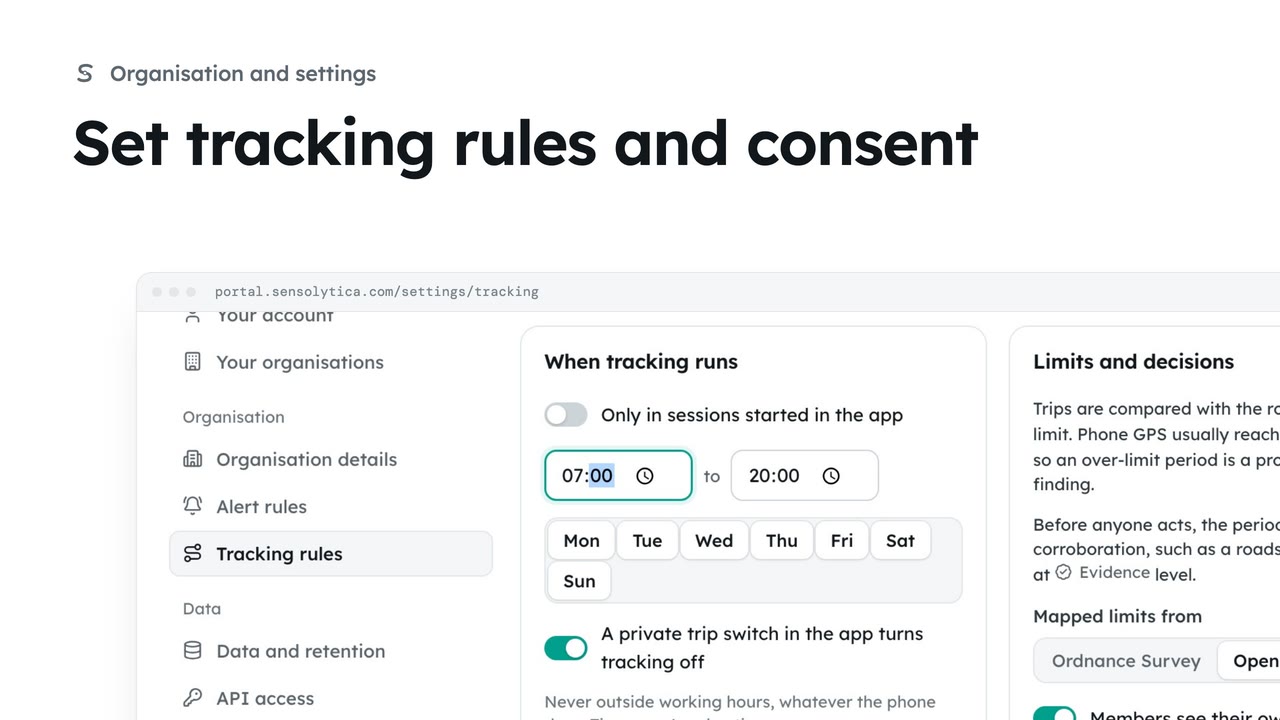
3 minDecide who may track the organisation’s own vehicles and boats, with whose consent, when, and how long trips are kept.
3 min6 stepsAdmin
 2 min
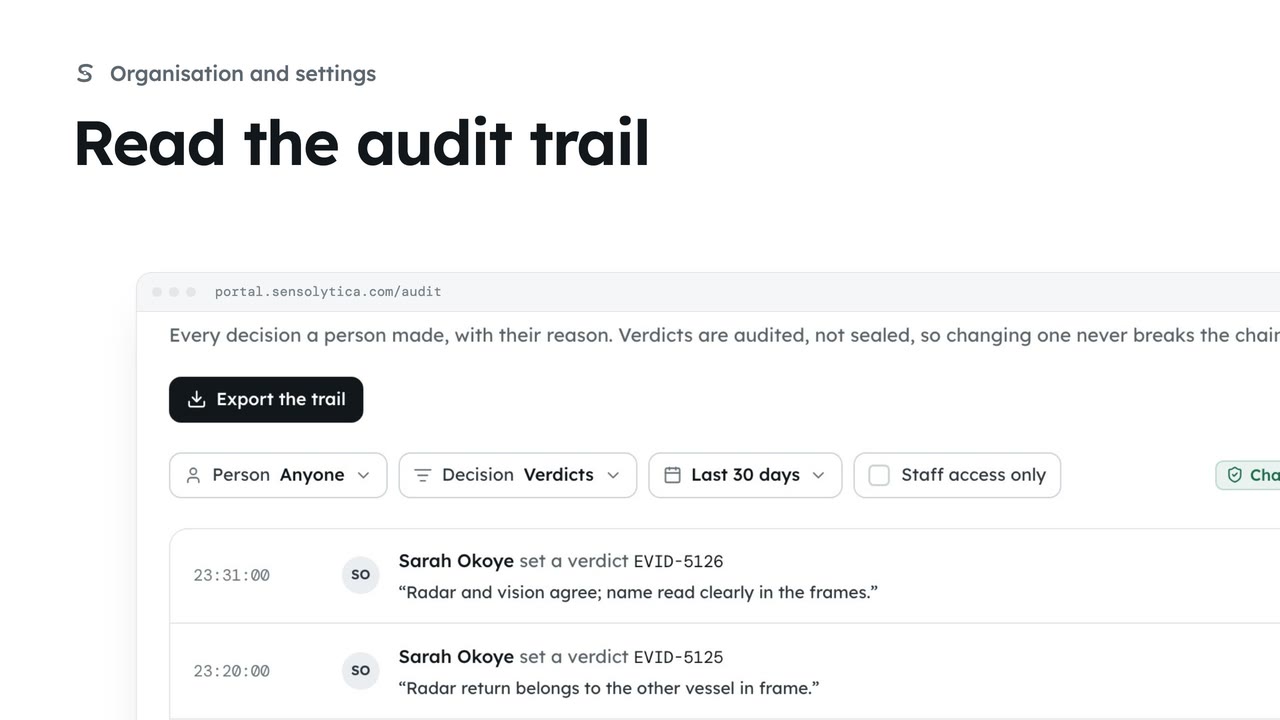
2 minSee every decision a person made in your organisation, with their reason, and export it for an auditor.
2 min4 stepsAdmin
Checked against the portal on 15 October 2026. Westmouth names, vessels, units and figures are illustrative. General guidance on using the portal, not legal, regulatory or financial advice.