 2 min
2 minManage organisations
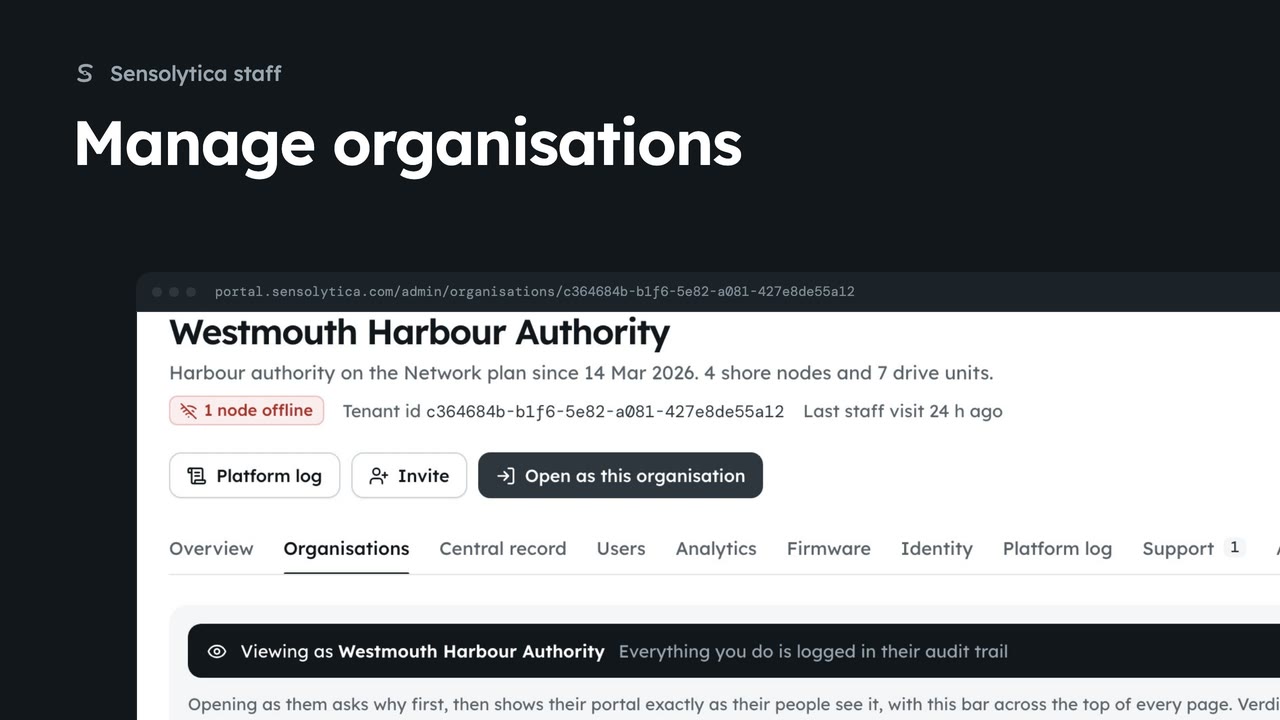
Find an organisation, check its health and fleet on its platform page, and create a new one.
2 min6 stepsSensolytica staff
Create a new customer organisation from the platform overview, then invite the admin who will run it.
New organisation
From the platform overview. A name and a kind.
Create organisation
Its platform page opens: empty for now, with Invite at the top.
Invite
Opens Invite someone with the organisation chosen. Make them an admin.
Send invite
They get a link to set a password and land in their organisation.
On the platform overview, choose New organisation. Give its name and its kind: a harbour authority, a council, a club, a fleet or an outboard maker.
Choose Create organisation and confirm. Its platform page opens: no nodes, units or people yet.
Choose Invite. Invite someone opens with the new organisation already chosen. Pick Admin, so they can run everything there, including their own team, and give their name and work email.
Choose Send invite and confirm. They get an email with a link to set a password, and land in the new organisation as its admin, with the getting started checklist.
Sign in with your work email. Your own organisation's records, nodes and units take the place of the Westmouth ones.
2 minFind an organisation, check its health and fleet on its platform page, and create a new one.
2 min6 stepsSensolytica staff
 2 min
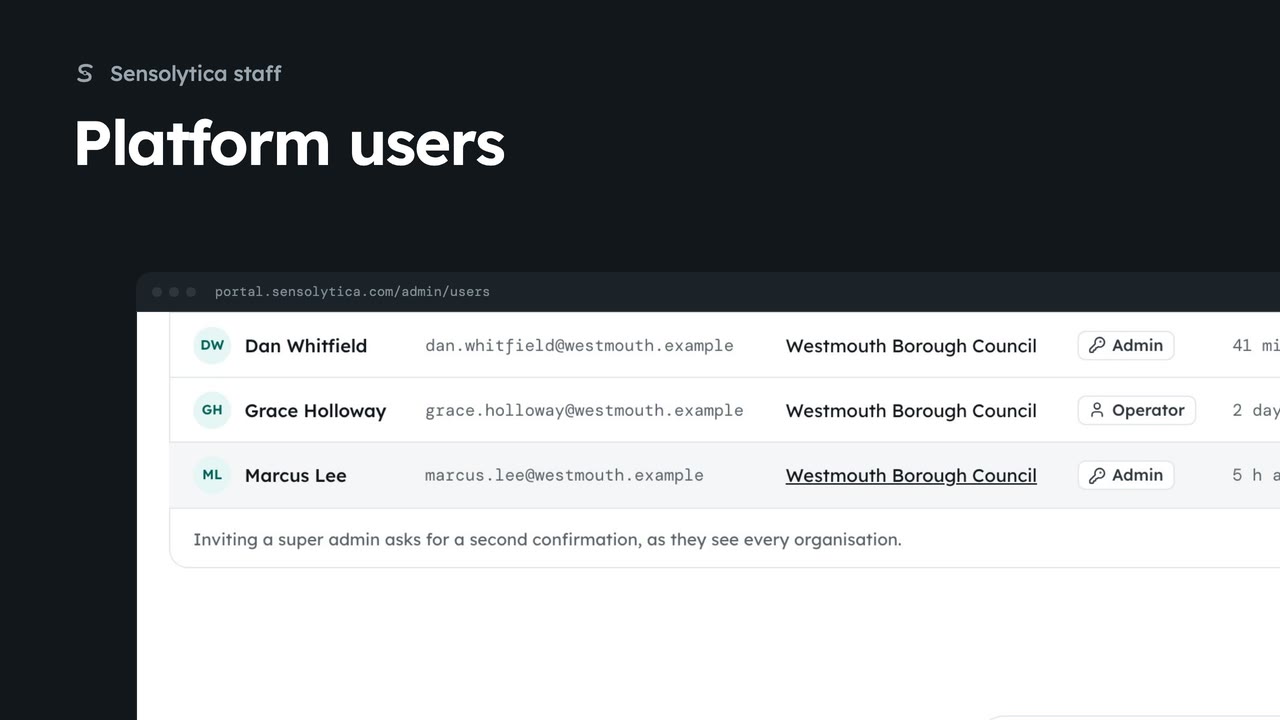
2 minFind anyone with access across every organisation, change a person's role, and invite someone to the right organisation.
2 min6 stepsSensolytica staff
 2 min
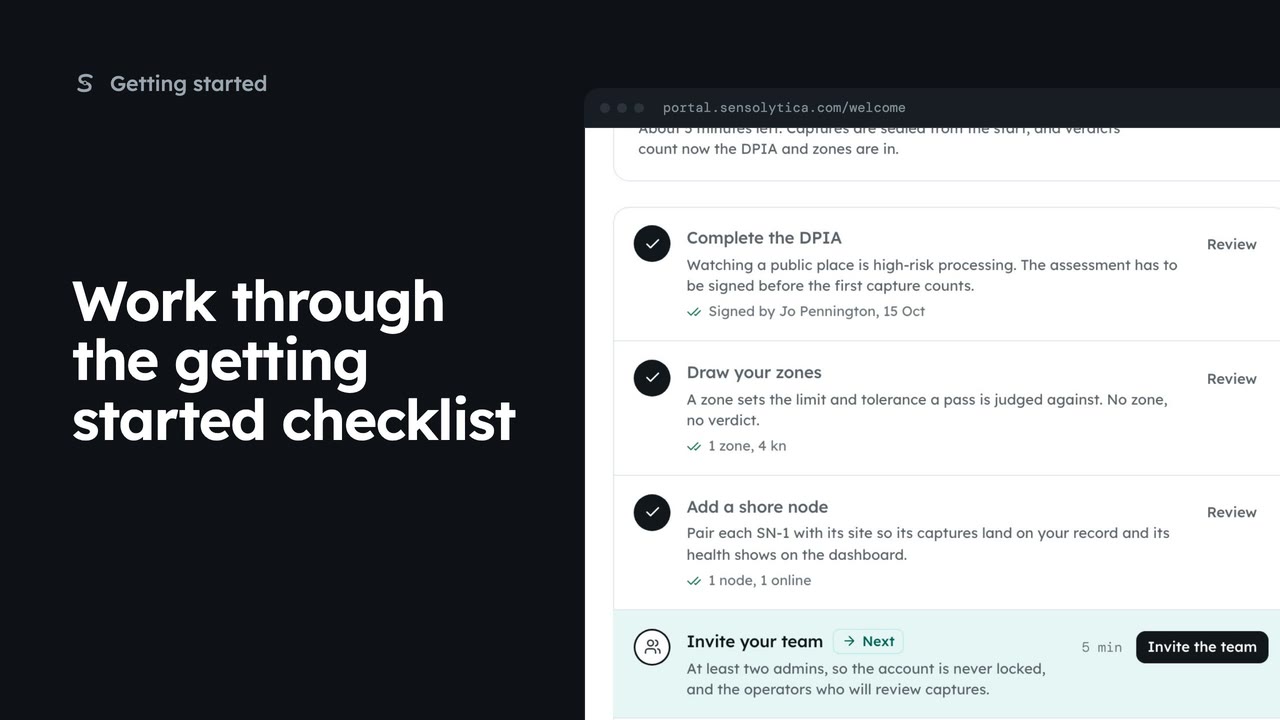
2 minUse the getting started checklist to set up a new organisation before the first capture counts.
2 min5 stepsAdmin, Sensolytica staff
Checked against the portal on 15 October 2026. Westmouth names, vessels, units and figures are illustrative. General guidance on using the portal, not legal, regulatory or financial advice.