 2 min
2 minWork through the review queue
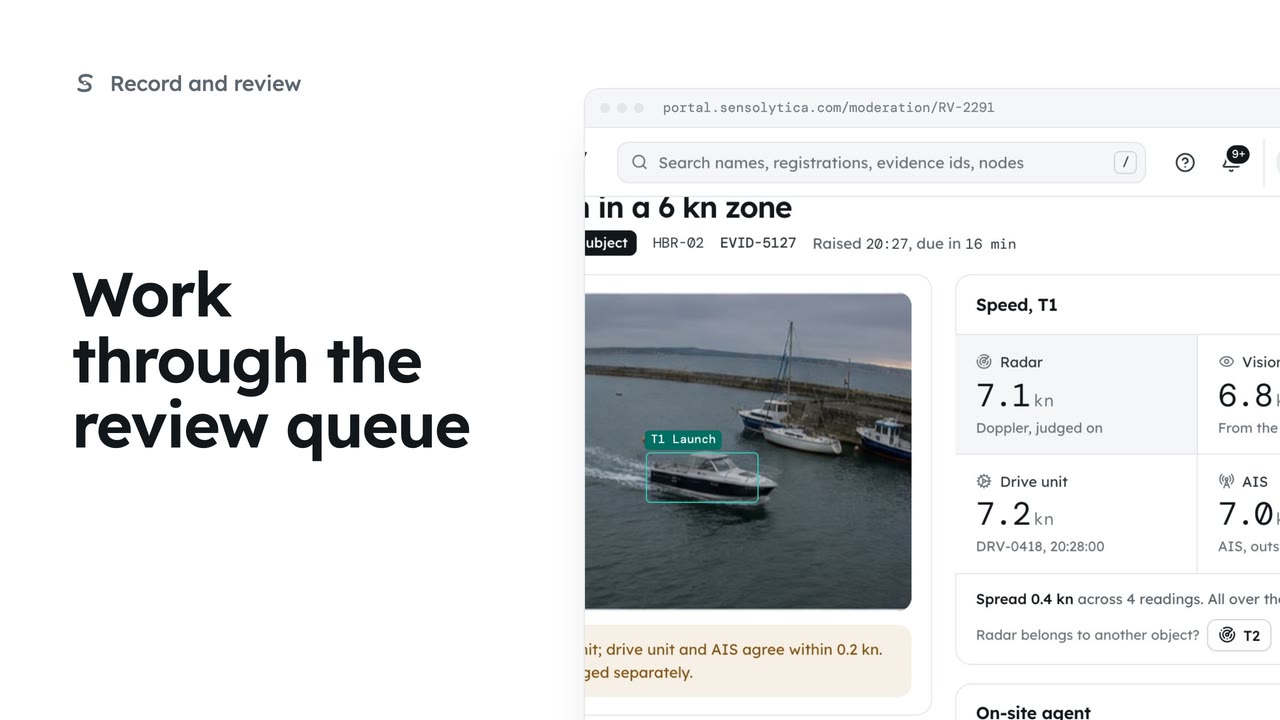
Decide each object waiting in Moderation, in the order it is due, with every source's speed side by side.
2 min6 stepsOperator, Admin
When a capture holds several objects and the radar speed belongs to a different one, move it, so each object is judged on its own speed.
Three objects in frame
RV-2305: a motor boat over the limit on its vision estimate, with a launch and a yacht beside it.
The radar belongs to one object
A capture has one radar reading. Here it was given to T1, the launch.
Radar belongs to another object?
Choose the object the radar was really measuring.
Attribute
Each object keeps its own verdict. The change is in the audit trail.
In Moderation, open RV-2305. The capture holds three objects: a launch, a motor boat and a yacht. This item is the motor boat, T2, over the limit on its vision estimate alone.
A capture has one radar reading, and it belongs to one object. Under Speed, the radar shows None for the motor boat and says it belongs to T1, the launch. Look at the frames: if the radar was locked on another boat, say so.
Under Radar belongs to another object, choose T3, the yacht. The portal checks first: the reading moves to the yacht, and the launch is then judged on its own vision estimate.
Choose Attribute. Each object keeps its own verdict, worked out from its own speed, and the change is kept in the audit trail.
Sign in with your work email. Your own organisation's records, nodes and units take the place of the Westmouth ones.
2 minDecide each object waiting in Moderation, in the order it is due, with every source's speed side by side.
2 min6 stepsOperator, Admin
 3 min
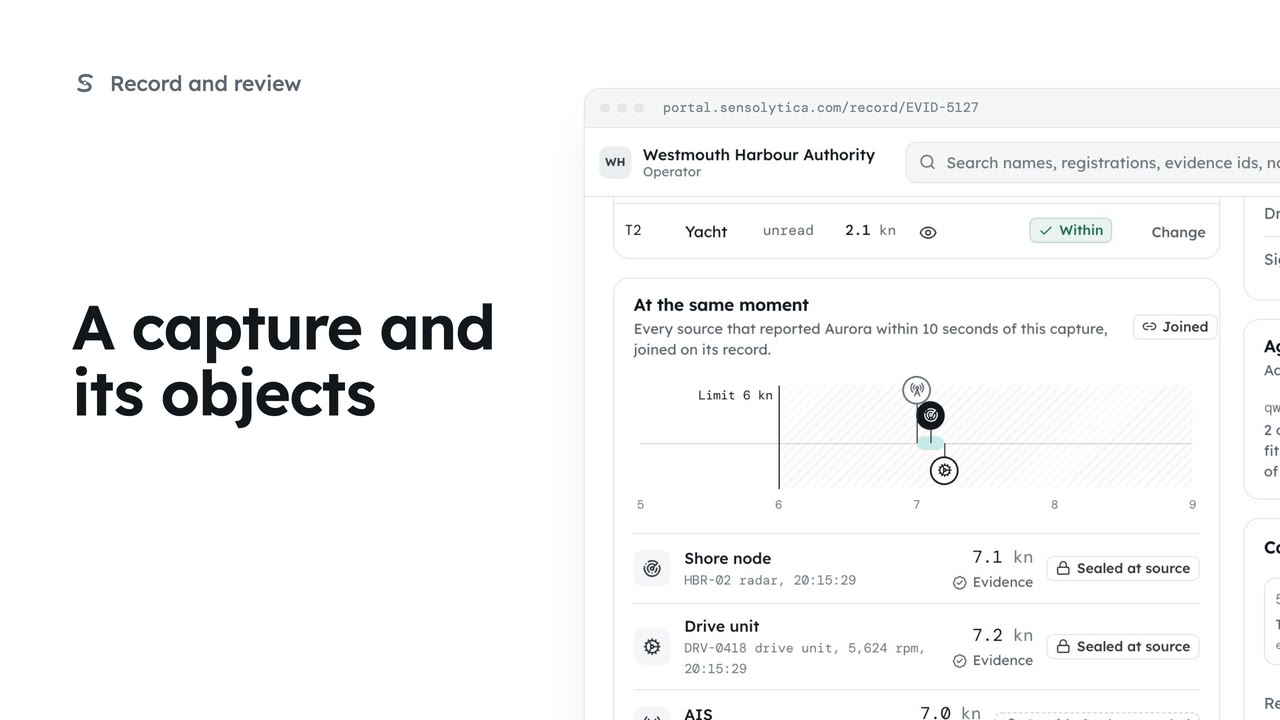
3 minRead one capture: its frames, every object in frame with its own verdict, the other sources at that moment and the seal.
3 min6 stepsOperator, Admin
 2 min
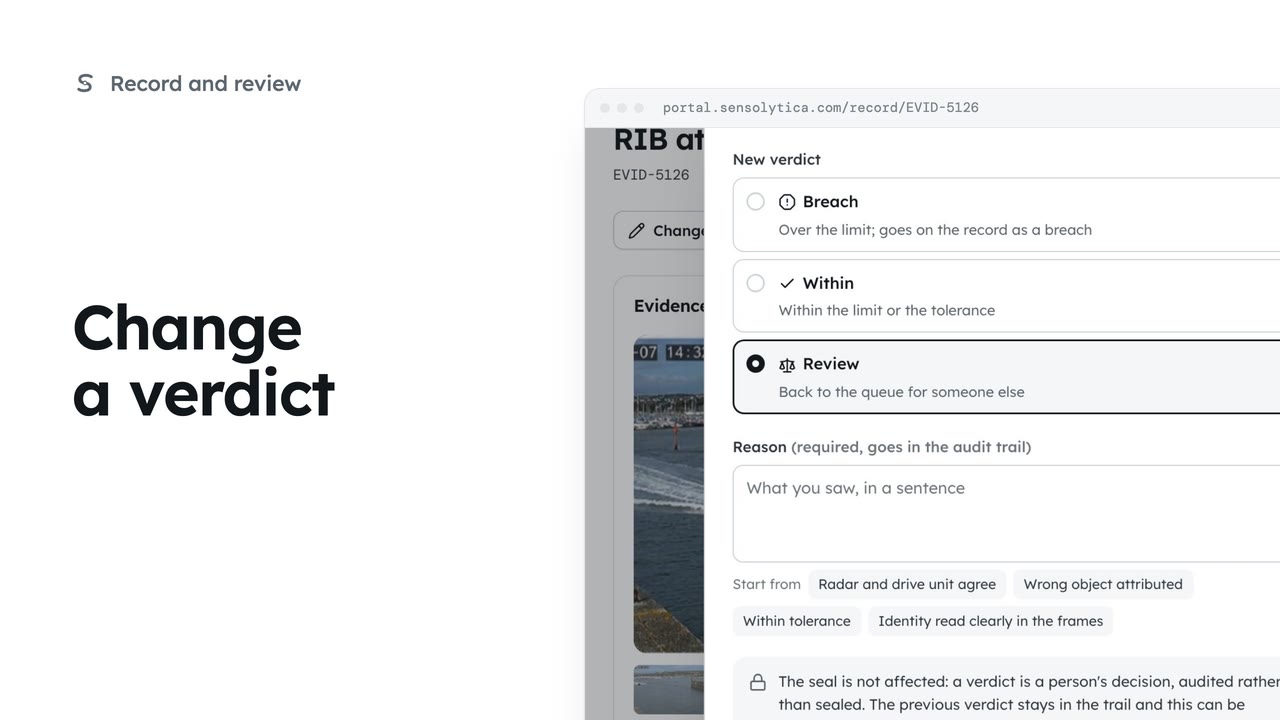
2 minChange one object's verdict on purpose, with a reason that goes into the audit trail and leaves the seal untouched.
2 min5 stepsOperator, Admin
Checked against the portal on 15 October 2026. Westmouth names, vessels, units and figures are illustrative. General guidance on using the portal, not legal, regulatory or financial advice.