 3 min
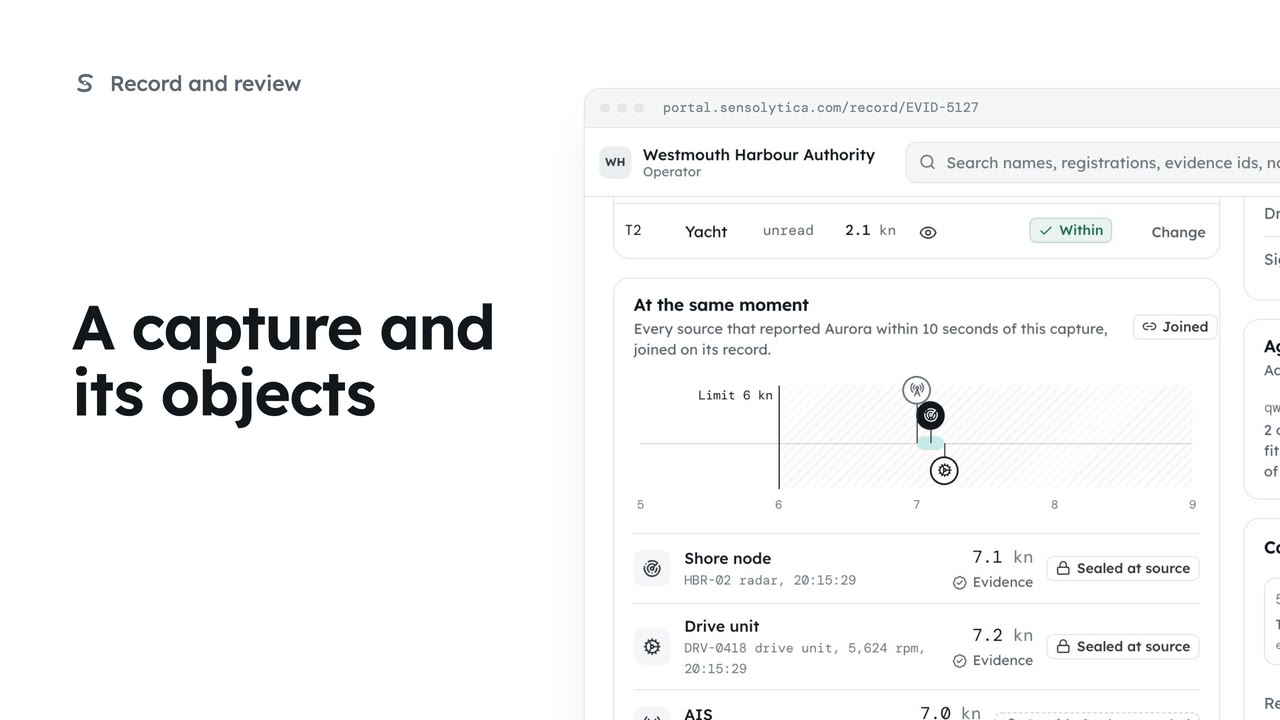
3 minA capture and its objects
Read one capture: its frames, every object in frame with its own verdict, the other sources at that moment and the seal.
3 min6 stepsOperator, Admin
Decide each object waiting in Moderation, in the order it is due, with every source's speed side by side.
What needs a person
Moderation lists open items by due time. Unread identities and duplicates are matched in Matching.
The next item due
Start reviewing opens the item due first. Arrows or j and k move through the queue.
Every speed side by side
Radar, vision, the drive unit and AIS, with the spread between them.
Identity and history
The identity panel shows the crop it was read from. This vessel before shows its breaches and usual speed here.
Breach, within or leave
Add a reason if you want, then Breach, Within or Leave in review. Each is confirmed.
Undo stays in reach
The next item opens with a banner. Undo reopens the last decision.
Open Moderation from the sidebar. It lists what needs a person, in the order it is due, and says why each item is here. Unread identities and possible duplicates have their own tabs, which lead to Matching.
Select Start reviewing to open the item due first. Here it is the launch on the approach, the first of two objects in its capture.
The note under the frame says why it is here. On the right, every source's speed sits side by side: the radar, the vision estimate, the drive unit and AIS, with the spread across them. Here they all agree the launch was over the limit.
Check the identity against the crop it was read from, and fill any required field. This vessel before shows how it has behaved at this node, here no breaches in five passes, so you are not deciding in isolation.
Add a reason if you want one in the audit trail, then decide. Breach seals it as a breach, Within records it as within the limit, and Leave in review keeps it open. Choose Breach, then confirm.
The next item opens straight away. The banner at the top says what you just decided, with Undo if you need it. Decisions can also be reopened later from Recently decided.
Sign in with your work email. Your own organisation's records, nodes and units take the place of the Westmouth ones.
3 minRead one capture: its frames, every object in frame with its own verdict, the other sources at that moment and the seal.
3 min6 stepsOperator, Admin
 2 min
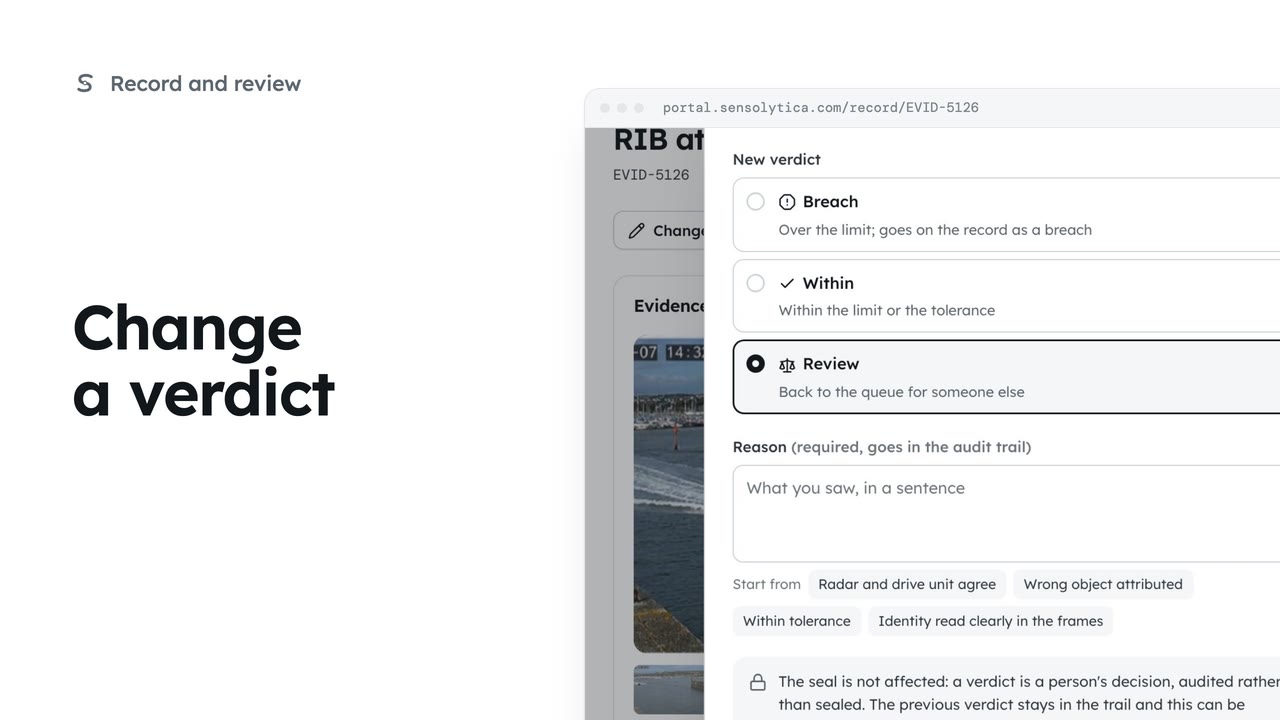
2 minChange one object's verdict on purpose, with a reason that goes into the audit trail and leaves the seal untouched.
2 min5 stepsOperator, Admin
 2 min
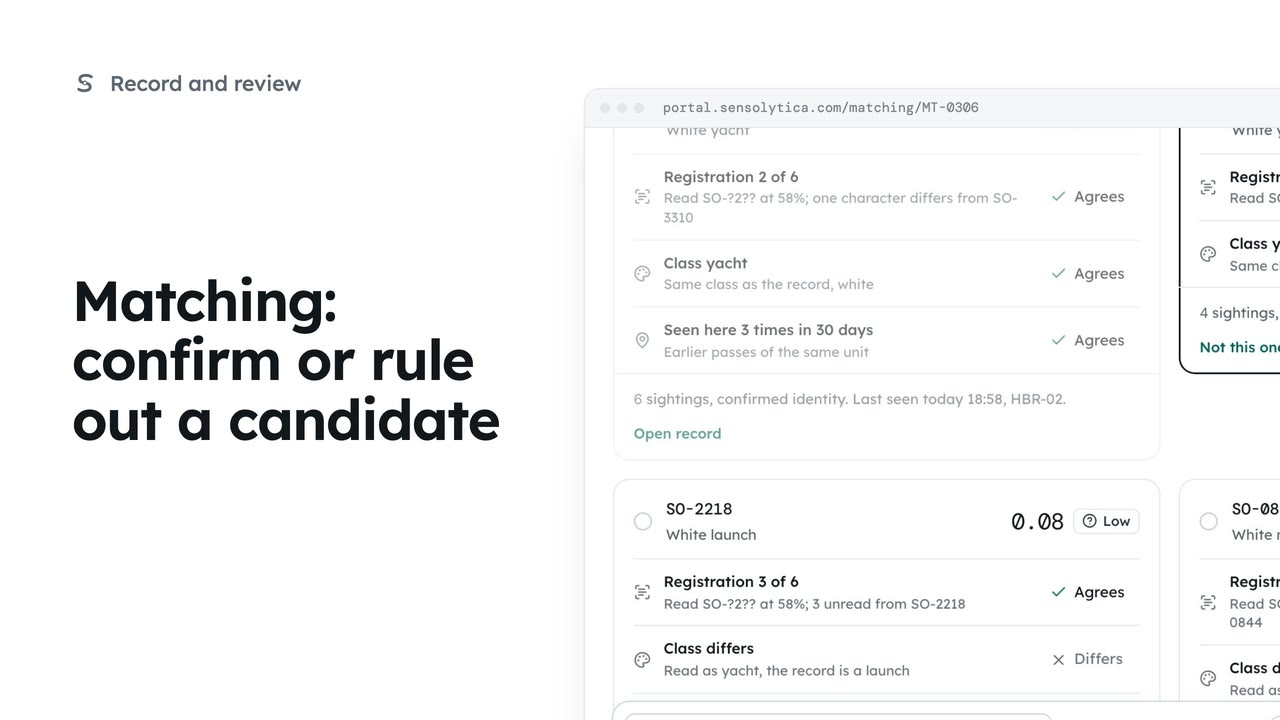
2 minJoin an uncertain reading to the right vessel, ruling out the candidates that do not fit.
2 min5 stepsOperator, Admin
Checked against the portal on 15 October 2026. Westmouth names, vessels, units and figures are illustrative. General guidance on using the portal, not legal, regulatory or financial advice.